Games to play on a TV without a console: the TV is the stage, phones are the controllers
Four ways to play games on a TV without a console, and how Buzzin works: a show on the big screen where phones are the consoles. We break down QR-code joining and how it differs from Kahoot and Jackbox.
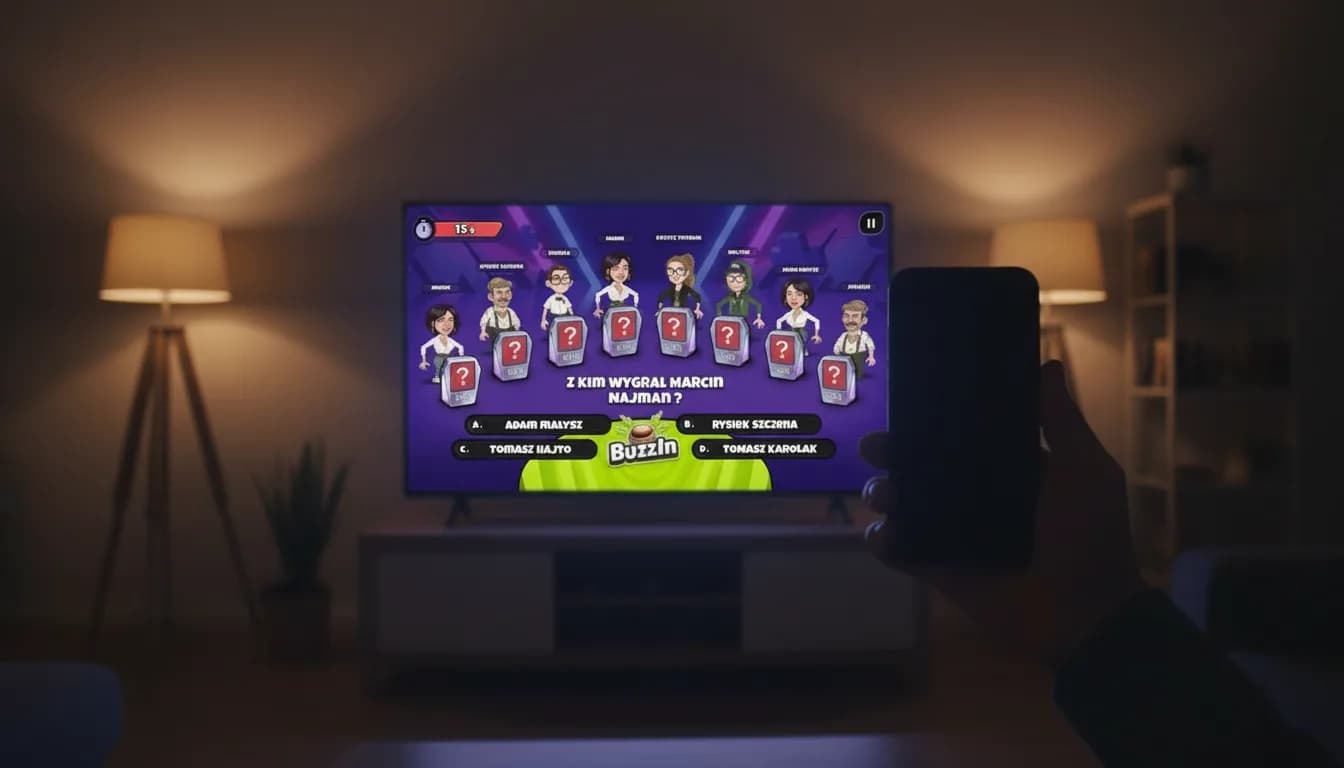
Most mobile quizzes look the same: everyone stares at their own phone, someone reads a question out loud, the rest tap. You're technically playing together, but everyone's locked in their own screen. Buzzin flips that: the whole spectacle happens on the TV, and the phone is what a button console is in a TV studio.
Along the way we'll answer the question we hear most often: how do you even play games on a TV without a console? There are more options than people think, and the most interesting one needs no hardware and no installs.
Games on a TV without a console: four routes
When people search for TV games, they usually find three answers. First, cloud gaming (GeForce NOW, Xbox Cloud Gaming): it needs a solid connection, a gamepad and a subscription. Second, smart TV apps: simple games, often locked to one TV brand. Third, a laptop plugged in over HDMI, playing whatever runs on your computer.
There is a fourth route the guides usually skip: browser-based phone party games, where the TV shows a shared stage and the players' phones act as controllers. No extra hardware, nothing to install, and the entry barrier for guests is scanning one code. That is exactly how Buzzin works, and it is the same idea that makes games like Jackbox such a party hit.
What the TV does, and what the phone does
The TV is the stage: it's where the characters, categories, questions, leaderboard and all the game-show glitter live. The voiced host runs the show and reads the questions, always to the end, because the game's pacing waits for the voice, not the other way round.
The phone is the controller: A/B/C/D answer buttons, category votes, and tricks to mess with your rivals. There's deliberately nothing to read there, eyes belong on the shared screen, not in your hand.
Why making everyone install an app kills the momentum
Every minute between "let's play something" and the first round costs the evening energy. Formats that make everyone download an app lose to four things at once:
That is why joining Buzzin happens in the browser. Before anyone has time to lose interest, the game is already running.
- Someone's phone is out of storage, and they are out of the game before it starts.
- The app store wants a password nobody remembers at a party.
- The app wants an account, so instead of playing, the crew fills in forms.
- After the party, everyone carries an app they used exactly once.
How QR-code joining works
The mechanics are always the same and take under a minute:
- Open the game in a browser on the TV; the screen shows a room code and a QR code.
- A player scans the code with their phone camera or types the short code in a browser.
- They pick a nickname and a character and instantly see their buttons.
- The phone stays the controller for the whole game, and rejoins in the same seat after a disconnect.
The whole game lives on the server
Neither the TV nor the phones know the answers in advance: the server decides everything, and the screens just draw what they're told. Nobody can peek at the right answer in the page source, and there's exactly one shared result per round.
The same mechanism saves the night when tech fails: if someone's phone dies or drops off WiFi, they rejoin in exactly the same seat. And if the whole crew loses the network, the game pauses itself and resumes when you're back.
How is this different from Kahoot (and Jackbox)?
Kahoot is a great tool, but it was built for classrooms, not living rooms: a host prepares the questions, and every participant still mostly looks at their own phone. Jackbox nails the TV-plus-phones format, but it assumes a computer with the games on it and someone who keeps the party packs up to date.
Buzzin is a ready-made show in the browser: a voiced host, characters, tricks and a sudden-death final, with phones used only to answer. Nothing to prepare and nothing to install: you open it and play. For classroom learning take Kahoot; for a house party, take the game show.
Zero installs, for real
Buzzin runs in the browser: on an Android TV, through Chromecast, or from a laptop plugged into the screen. Players don't install anything either: they scan a QR code, pick a nickname and play. The first question can land before the drinks are poured.
This isn't a demo of "the real app", this is the full game. And since Buzzin is a platform, more games will land on the same screen and the same phones.
Can you play games on a TV without a console?
Yes, four ways: cloud gaming (needs a gamepad and a subscription), smart TV apps, a laptop over HDMI, or a browser party game with phones as controllers. The last option is the fastest to start, because it needs no extra hardware at all.
Is there a good Kahoot alternative for parties?
For classrooms there are plenty. For a living room the format matters more than the tool: you want a shared screen, phones as controllers and zero prep. That is the gap Buzzin is built for: a ready game show with a voiced host, where guests join by scanning a QR code.
What exactly does Buzzin run on?
The screen: a TV with a browser (Android TV), Chromecast, or a laptop or PC plugged into the TV. The players: any iOS or Android phone with internet access. No accounts, no installs, 2-8 players per room.
See it on your own screen
Open Buzzin in the TV browser, players join by room code on their phones: no installs, no accounts.